

The astronaut has landed on Earth. The instrument panel reads zero speed, and "Get in touch" is the section within reach. Press dock, and my contact details open.
That is Portfolio Cockpit, the playable version of my CV. A toy astronaut, four small planets, each one a section: who I am, what I have built, where I have worked, how to reach me. It sits inside my website next to a perfectly ordinary homepage with project links and a booking button.
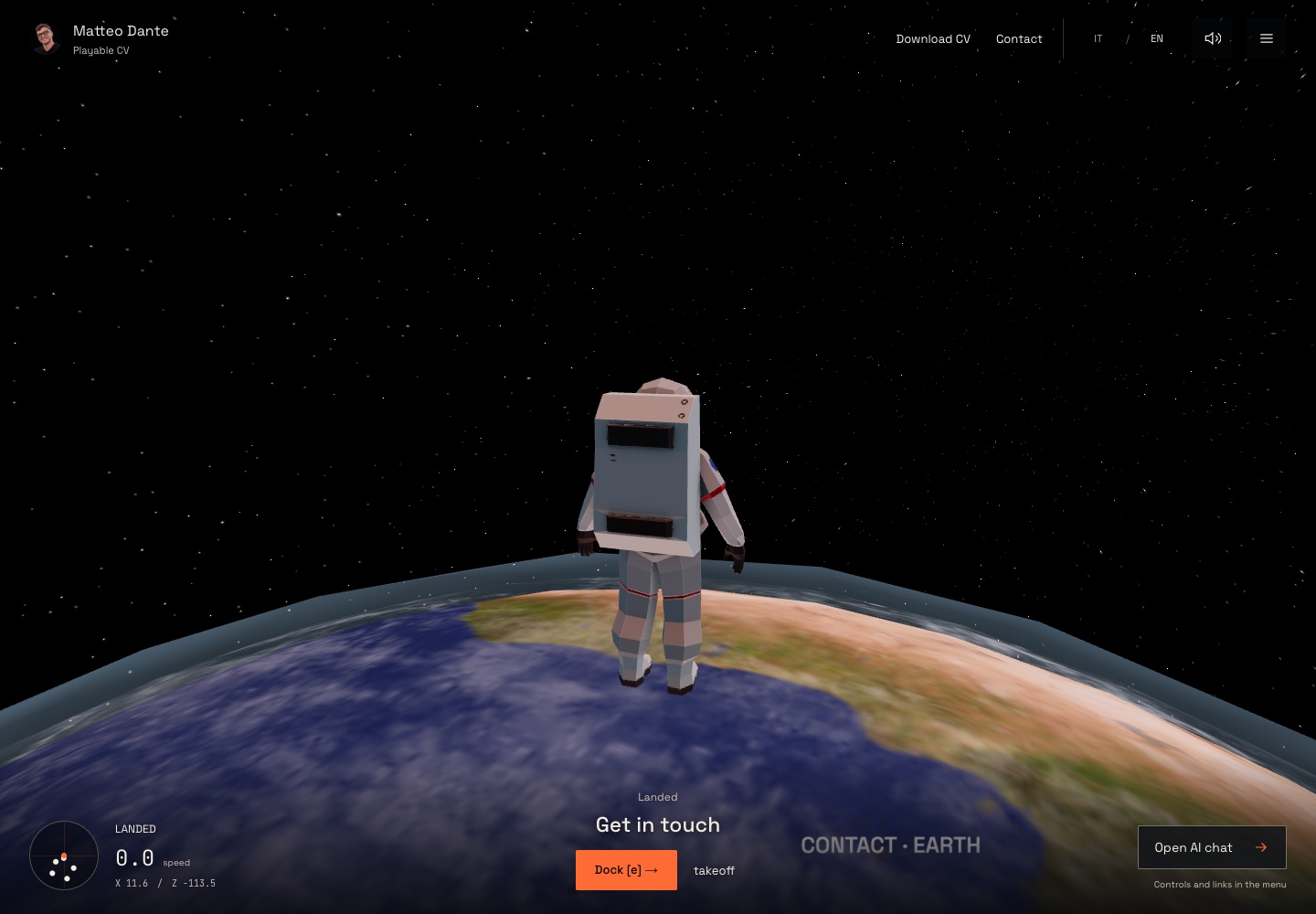
The cockpit in a desktop browser, landed on Earth. The cover of this article is separate concept art.
Why a game
A CV is the most skimmed document in the world. I wanted the person reading mine to spend a few minutes with it, and to come away with one accurate impression: this is someone who builds things, carefully, and enjoys it.
Space was already my visual identity, with the toy astronaut as an alter ego. Turning the CV into a short flight felt like the honest version of that identity, and not a decoration on top of it. And building a small 3D world in the browser, with real physics for landing and taking off, was exactly the kind of weekend I like.
The rule: fun must never block anyone
The game had one rule from the first sketch. Nobody should ever need the game to get the information. If you cannot fly, or will not, or you are on a phone with your thumb, the CV is still there.
So there is a plain menu that jumps to any section. Touch screens get movement buttons and a single contextual action. If the 3D scene cannot start at all, the page simply shows links to the CV, my email and the homepage. The keyboard works everywhere, and when a section opens, the keys stop steering the astronaut and start moving through text, then hand control back when you close it.
Most of the engineering went into that handoff. A game that keeps running underneath a document you are trying to read is a nuisance; a document that locks the game is a dead end. Getting the boundary right, between the world that moves sixty times a second and the panel you need to read, is the part of the project I would show another engineer first.
Small things that had to be true
The instrument panel reads a few times a second, not every frame, so the interface stays calm while the world moves. A docking action that just became available shows up at once, because that one cannot wait.
Pausing must not move you. If you open the menu mid-landing and come back a minute later, the astronaut is exactly where you left it. I wrote tests for that, and for the camera settling the same way on a slow laptop and a fast gaming monitor. They are small tests, and they caught real bugs.
There is also a co-pilot: a chat that answers questions about my work from my public profile, and from a fuller one if a recruiter has the access code I share. It cannot change anything on the site. It is a guide, not a hand on the controls.
What I learned
Playful and accessible are not opposites. The accessibility work made the game better, because every shortcut I added for people who did not want to fly was also a shortcut for people who did.
Build the ordinary path first. The homepage with the booking button is where clients actually land; the cockpit is where I get to be myself.
Tests can be tiny and still matter. "A pause does not teleport the player" is one line of intent and it protected me more than once.
Take off, in English or Italian, and dock somewhere. If you would rather skip the flight, the menu is right there, and so is my email.
Links
- Portfolio Cockpit: the playable CV, in English and Italian.
- matteodante.it: the homepage, with project links and a booking button.
- The code on GitHub: the whole site, including the cockpit and the chat, MIT. Start with the architecture notes.