
Where does a power point fall?
In the photography lesson below, the learner has picked "where two lines cross". The app marks it right, explains why, and then asks something harder: when can a subject dead centre still work? That move, from a rule to a situation you will actually face with a camera in your hands, is the kind of practice I wanted Maestro to give.
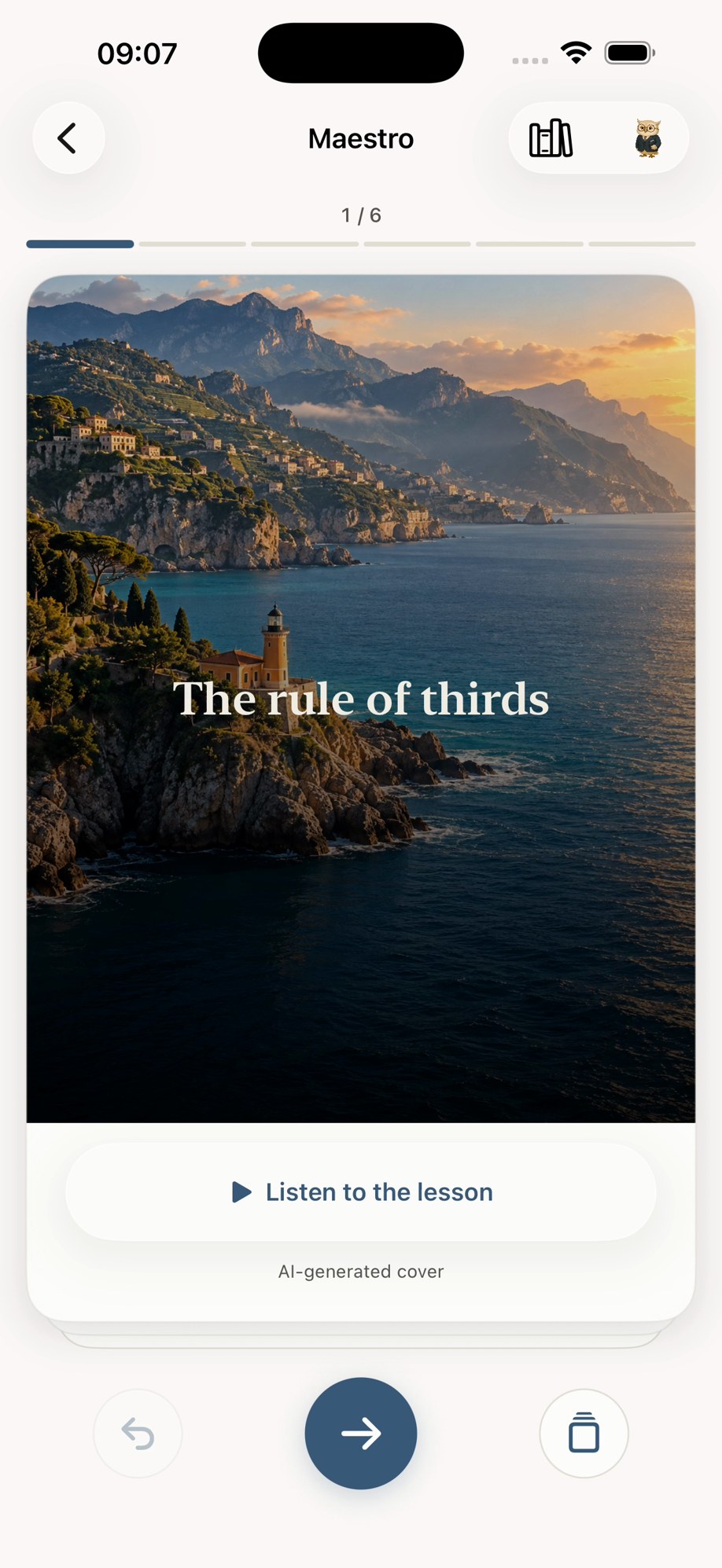
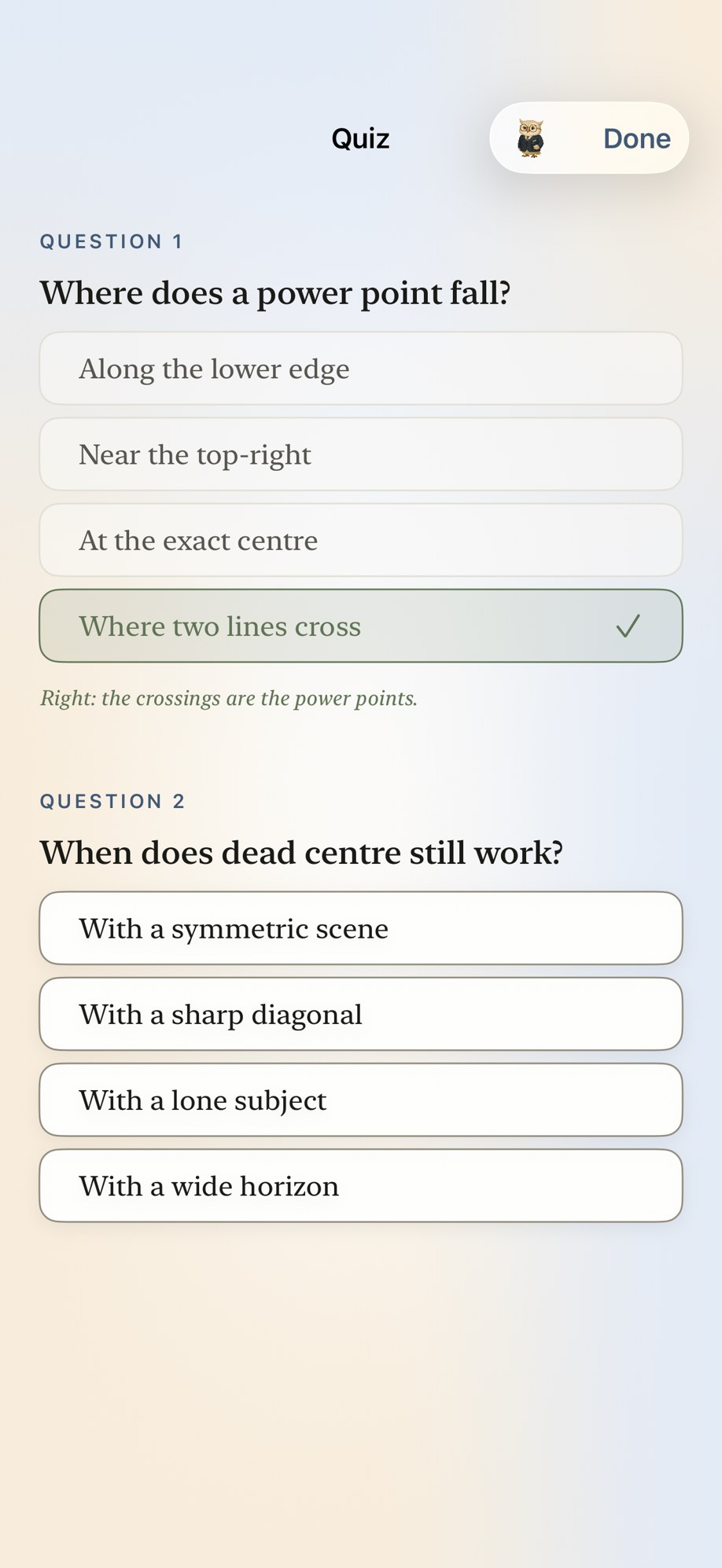
The opening card and the quiz of a sample photography course. The illustration on the card is labelled as AI-generated inside the app.
Maestro is a personal tutor on iPhone. You name a goal, say why it matters and how much time you have a day, and it researches, writes and orders a course of short lessons. Each lesson is a complete teaching moment: a plain explanation, a worked example, something to practise, a short quiz, and the sources it drew on. The course is finished when you have mastered the goal, not when a lesson counter runs out.
A goal is not a topic
"Photography" leaves most of a course undecided. A holiday, a product catalogue and a portrait session need different examples and different practice. So the first thing Maestro does is ask why, and it keeps the answer with the course. Every lesson then has a place in a sequence and a job inside your goal, and you can always see where you are.
I had tried learning with chat assistants and always ended up with answers, not with knowledge. An answer engine does the work for you and forgets you. I wanted the opposite: something that makes you the one who knows, and keeps track of whether you do.
Trusting a lesson that a model wrote
The uncomfortable part of building a tutor on generated text is deciding what the app can check before it puts a lesson in front of someone who is trying to learn.
Maestro researches before it teaches. It looks for real material on the web first and shows you the sources it used, so you can read further and see where a lesson came from.
Then every lesson has to pass checks before it becomes cards. A lesson that is missing a piece, or whose practice is not real practice, goes back to be written again. I can name the defects those checks catch. I cannot claim they prove a fact true or a lesson effective, and I say that plainly, because a good structure is the beginning of trust, not the end of it.
A wrong answer keeps working
The quiz is not the finish line. Every answer is kept, right or wrong, along with the concepts behind the ones you missed. Passing a quiz does not mean every concept is settled, so later lessons lean on what still needs work, and a wrong answer on the final review can reopen a goal you thought was done.
Your courses and progress live on your phone, and you can read a saved lesson aloud, on your watch, or export it to paper.
What the App Store taught me
My first submission of a paid tier was rejected. The two subscriptions I offered looked identical in the store: same image, same name, same description in six languages. Apple was right. I gave each product its own artwork and a name that said what you were buying, and resubmitted. It was a lesson in reading your own product as a stranger would, and it stuck.
What I learned
Generated content needs gates you can name. "It looks fine" is not a gate.
Keep the goal in the room. Every design question got easier once the course knew why the person was there.
Finish means mastered. A fixed number of lessons is a promise about time; mastery is a promise about the learner, and it is the only one worth making.
Maestro is on the App Store, with free lessons every month. If you try it, pick something you actually want to do and go do it away from the screen. If you build learning tools and have thought about trust the way I have, I would like to compare notes.
Links
- Maestro on the App Store: the iPhone app, with free lessons every month.
- Maestro's website: how it works, support and the policies.