

Here is the moment I built GymTree around. You finish a set of bench press. You are breathing hard, you have a minute and a half before the next one, and you pick up your phone to write down what you just did. That is the whole interaction. It should take two taps and no thinking.
In the product notes I wrote a sentence I keep coming back to: a trainee mid-workout wants the next set, not a session. Everything in the training side of the app follows from it.
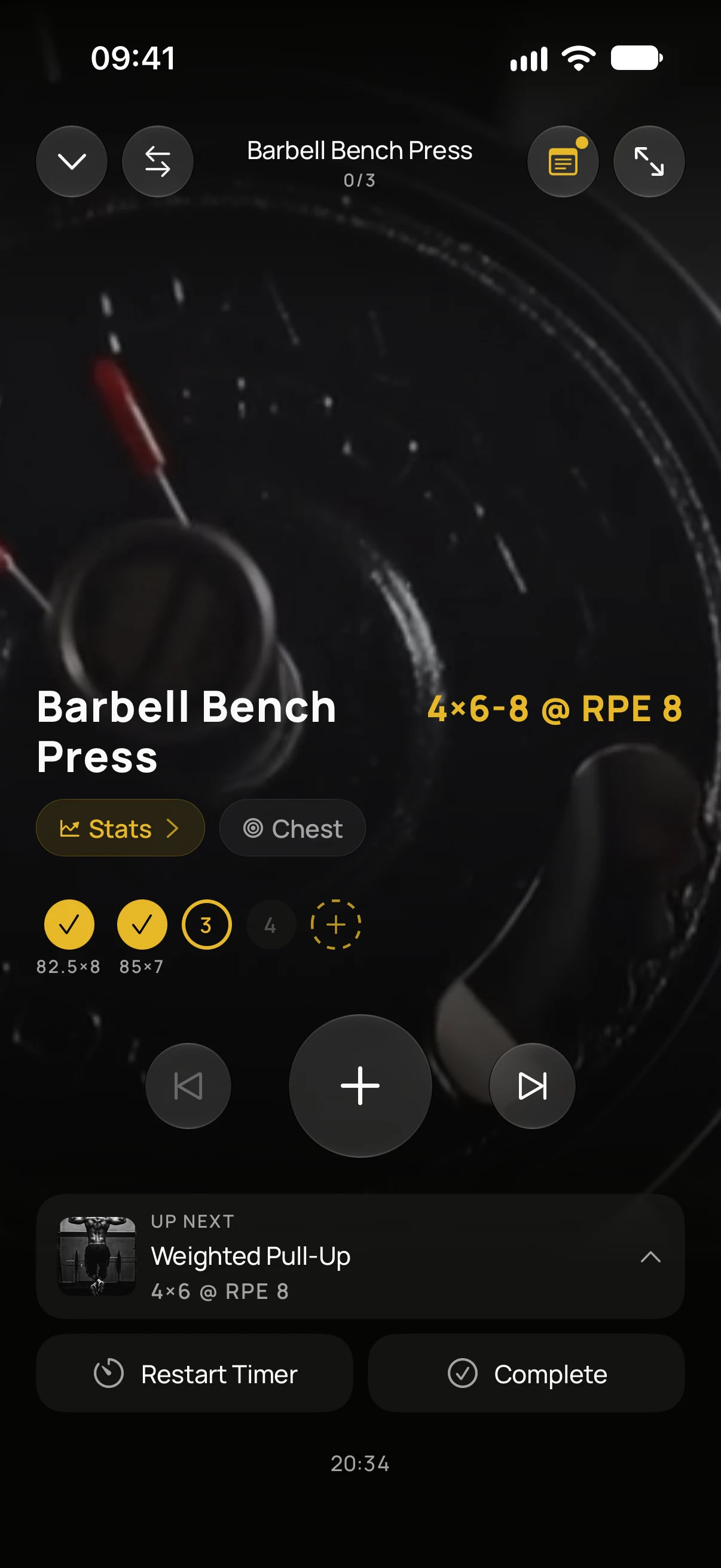
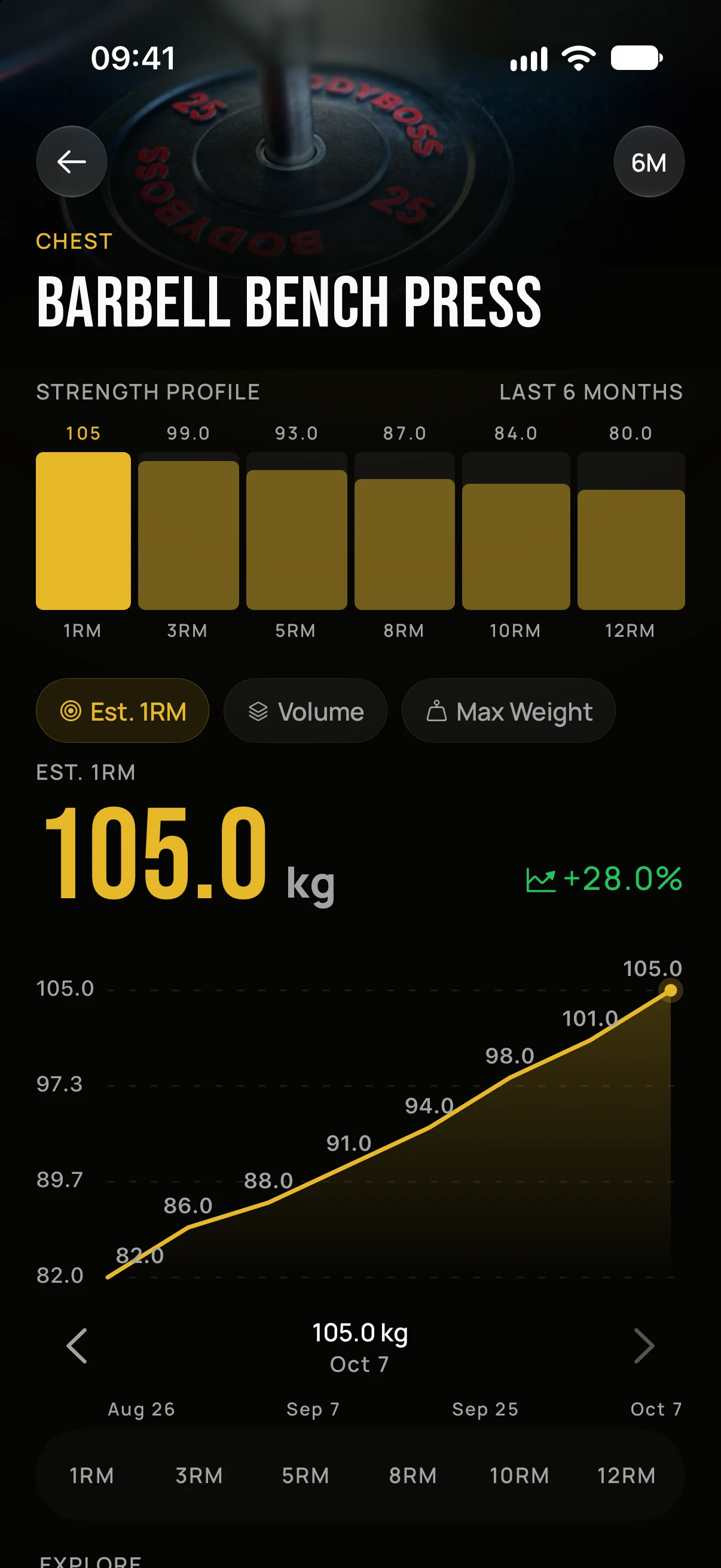
The workout player and the exercise history, captured from the app. The numbers are demo data.
What it is
GymTree has two sides. Coaches get a workspace to run a coaching business: clients, programmes and diets, messages, bookings, payments. People who train get a phone app that follows the programme and records the session. It is on the App Store, and the coach side runs on the web, iPad and iPhone.
I built both sides alone, which is unusual, and it shaped the product. The same programme has to feel like a planning tool to the person who wrote it and like a stopwatch to the person sweating through it.
Design for the dumb moments
The best decisions in GymTree were about moments when the phone is not being looked at.
You lock the phone and put it face down on the bench. The rest timer keeps its promise anyway: unlock a minute late and it is already done, with no catching up. On iPhone the current workout also shows on the Lock Screen, so a glance is enough.
The gym has no signal. A set you log has to appear immediately and reach the server later, in the order you logged it, even if you close the app in between. A flaky connection in a basement never costs a set.
The coach wrote the programme; you are following it. If the squat rack is taken, picking one of the alternatives the coach allowed is part of finishing today. Rewriting the programme is not. Those are different permissions, and they are enforced quietly, which keeps the coaching relationship honest without a single confirmation dialog.
The other side of the screen
Coaches told me their day is spent in ten apps: a spreadsheet for progress, three chats for clients, a PDF builder for plans, a payment app, a calendar. GymTree puts those in one place and takes a small cut only when a coach chooses to collect payments through it. Assigning a plan, tracking a deadline or recording a payment made outside the app is free.
AI helps on both sides, drafting a first version of a programme or a diet, and it plays by the same rules as a human: a generated plan belongs to the same coach, the same client and the same permissions as one typed by hand.
What I learned
The hardest interface is the one used while doing something else. Every tap in the player was argued over; every tap I removed made the app feel faster than any animation did.
Two people, one truth. A programme is a single object with two faces, and most of the bugs I fixed came from forgetting one of the faces.
Ship it and listen. GymTree has gone through a long series of releases this year, each one changing something a real coach or trainee complained about. The releases taught me more than the plan did.
GymTree is free for coaches, and the app is on the App Store. If you are building for a moment this small, I would enjoy comparing notes.
Links
- gymtree.app: the coach workspace and the product site.
- GymTree on the App Store: the app for the person training, in English and Italian.