
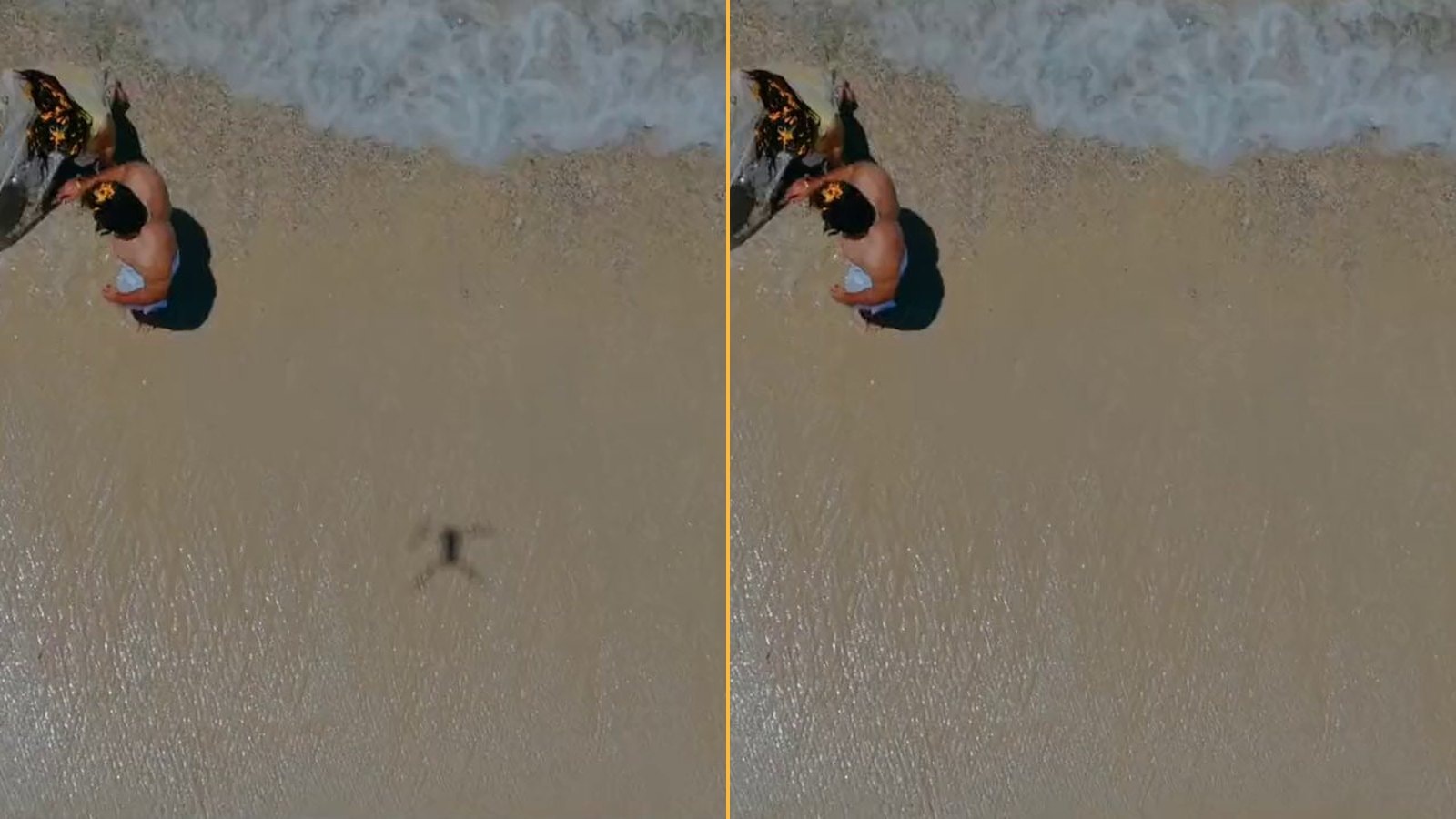
Every drone pilot has this shot. The light is perfect, the sea is doing its thing, and right in the middle of the sand there is a small dark quadcopter, propellers and all. The sun is behind you, the drone is low, and its shadow falls exactly where the camera is looking.
I kept seeing that shot in creators' videos, and I kept seeing it thrown away. So in late September I asked myself a narrow question: could a video go in, the pilot tap the shadow once, and the video come back without it, with everything else untouched?
DroneClean is the answer, three weeks later. You open the clip in the browser, tap the shadow on a frame where it shows, and the app follows it through the footage and paints it out. The rest of the picture and the sound come back as they were. It has been online since mid-October, free while the beta lasts.
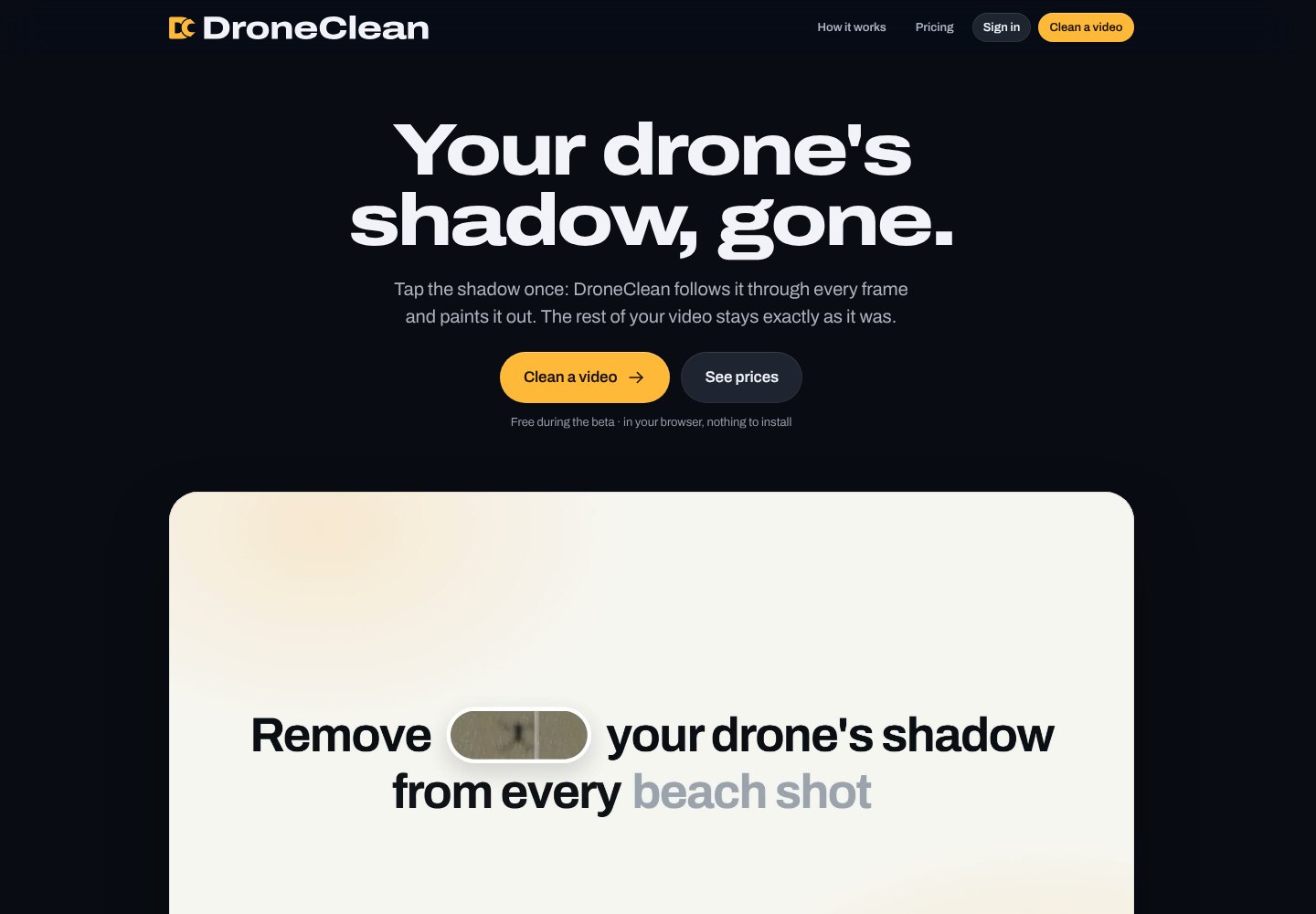
The landing page in October 2026. The cover of this article is the site's own before and after on a beach clip from Pexels; the "after" is a real output.
The shadow is never where you want it
I started with one real clip and a graphics card on my desk. The first attempts removed the shadow in the sense that it got lighter. At normal speed you still saw it: a pale ghost gliding over the grass, a drone-shaped smudge on the snow. I wrote in my notes that it was not convincing, and that was the kindest word.
That ghost became the whole project. A shadow is not an object you can cut out; it is the ground with less light on it, and the ground under a moving drone is sand, gravel, cracked asphalt, wet grass, road markings. Make it too smooth and the eye notices a patch that does not belong. Leave too much and the drone is still there.
I went through several approaches over a couple of weeks of evenings and nights. Some looked wonderful on one surface and fell apart on the next. What finally worked was giving up on a single trick and letting the results choose: I put the candidates side by side on thirteen real clips, hid which was which, and voted. The one that won most of them is the engine that runs today.
The decisions that were not about the engine
The engine was half the work. The other half was a list of product decisions I did not expect to care about so much.
You pay only for the seconds where the shadow actually shows. Following it through the clip is free, and so is a short preview on your own footage. It felt wrong to charge for a whole minute because a shadow crossed the frame for four seconds.
You do not upload the whole video to see whether it works. Drone footage is big, and a pilot on a phone in a field should not wait for a two-gigabyte upload before finding out whether the thing even found the shadow. The full upload happens only when you decide to export.
The export must not be worse than the original. Creators shoot ten-bit log footage and ProRes, and the first version quietly turned everything into ordinary eight-bit video. That would have defeated the product. Now the file you get back keeps the format you gave, and only the part that changed is touched.
What it still gets wrong
Tracking can mistake a real drone in the frame for its shadow, and it can lose the shadow when two shadows cross. In one game capture it took the cracks on an iceberg's shaded face for the shadow itself.
I could add a rule that catches that case, but the same rule would drop a real shadow that grows as the drone descends. So the honest fix lives in the editor: the highlighted ranges are yours to trim or delete before you export.
The repair is generated detail, and on a very large shadow in 4K it is softer than the sand around it. I say so on the site instead of hoping nobody zooms in.
What I learned
Judge at normal speed, on real footage, with the answer hidden. Every metric I computed agreed with my eyes less than a blind vote did.
The product is the whole path, not the clever part. What to upload, what to charge for, and what to promise about the output file took as many evenings as the engine, and users notice them first.
Say what fails. A tool that erases shadows and admits where it cannot is one I would trust with my own footage.
AI coding agents wrote a lot of this code with me, in long sessions, and I made every call by looking at the result. If you fly, try it on a clip of yours. If you build things like this, I would enjoy comparing notes.
Links
- DroneClean: the app, free during the beta, sign in with Google.
- How it works and what it costs after the beta: the questions and answers on the site.